


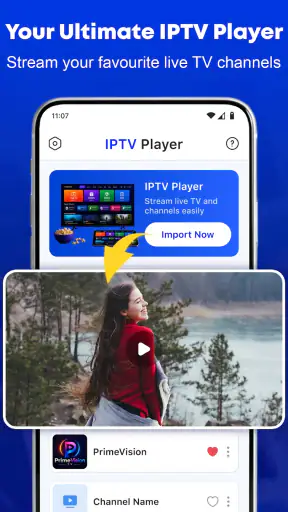
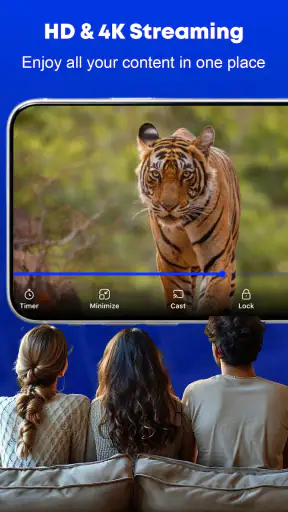
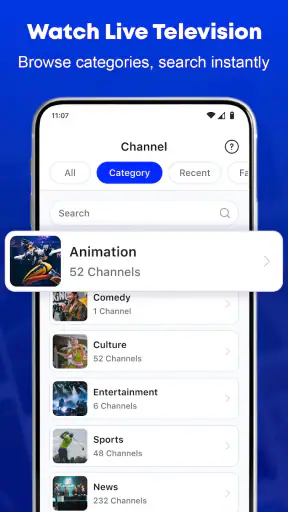
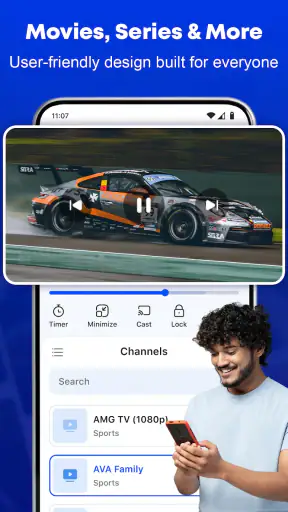
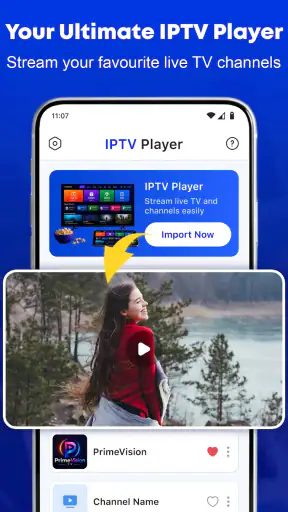
Choosing an IPTV player is less about finding the most crowded feature list and more about finding the right balance between setup effort, playback comfort, and the way you watch television. I spent time looking at Smart TV Player: IPTV Smarters from that practical angle. It is a free video player and editor app from ModSik, aimed at people who already have IPTV playlists and want a straightforward way to bring them onto a larger screen. Its promise is simple: make playlist-based viewing feel closer to ordinary television, with smooth playback and casting to a TV.
That focus is important. This is not a service that supplies channels or programmes by itself. It is a player for content you already have access to. If you are comfortable managing your own playlist and want a dedicated viewing tool rather than a general-purpose media app, it makes sense to consider. If you expect a complete entertainment subscription, a built-in catalogue, or a highly advanced media centre, you should look at a different type of app.
What I considered before recommending it
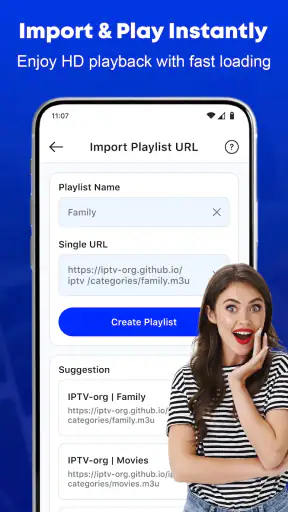
My first decision criterion was the initial setup. IPTV apps can be frustrating when the playlist process is unclear, when a remote is awkward to use, or when switching between a phone and television requires too many steps. With this app, the useful question is not simply whether it plays video. The real question is whether it reduces the friction between an existing IPTV playlist and the screen where you actually want to watch.
The second criterion was everyday playback. A player can look attractive during a quick test and still be inconvenient after a week of use. I paid attention to whether the app’s purpose feels focused, whether casting is central rather than an afterthought, and whether it suits a living-room routine. A good IPTV player should let me spend more time watching and less time navigating technical details.
I also considered how much control different viewers need. Some people want a clean route from playlist to television. Others want extensive organisation, recording tools, deep guide customisation, or a full media-centre experience. Smart TV Player: IPTV Smarters is easier to judge when those expectations are separated. Its appeal is strongest for the first group, while the second group may prefer a more specialised alternative.
There is also a practical compatibility point. The app requires Android 10 or later, so an older device may immediately be outside its target audience. For a recent phone, tablet, or compatible television setup, that requirement is fairly easy to understand. Still, I would check the Android version before spending time preparing a playlist. An IPTV player is only useful if the device you plan to use can run it.
The app is free, which lowers the risk of trying it. It also carries an Everyone age rating, making its intended audience broad from an age-classification perspective. That does not change the responsibility to use legitimate playlists, but it does make the app approachable for households where different people may use the same viewing setup.
The best fit is someone who already has a viewing source
I would recommend it first to someone who already receives IPTV playlist information from a legitimate provider or personal media setup and wants a dedicated player. The app does not need to be the centre of your entire entertainment life. It can simply be the clean viewing layer between your playlist and your television.
A realistic example is a household that watches television through a phone or tablet but finds the smaller screen inconvenient in the evening. Instead of passing the device around, one person can prepare the playlist, open the desired content, and cast it to the living-room television. That workflow is especially useful when the phone is being used as the controller while everyone watches on the larger display.
Another useful scenario is travel within your own home or between familiar devices. You may begin checking a channel on a mobile screen and later move to the television when you have more time. A player built around playlists and casting is more suitable for that habit than an app designed only for local files or only for on-device viewing.
My advice is to organise your playlist before you need it. Remove entries you never use, keep names understandable, and test the channels you watch most often. This is not a flashy feature, but it is one of the biggest practical improvements you can make. A tidy source makes any IPTV player feel faster and less confusing, while a messy source can make even a capable app appear unreliable.
Where the focused design works well
The strongest part of this app is its clear identity. It belongs to the video-player category, but it is not trying to be a general video editor, a social feed, or a streaming catalogue. Its job is to handle IPTV playlists and make television viewing more comfortable. That narrow purpose is useful because I know what to expect when I open it.
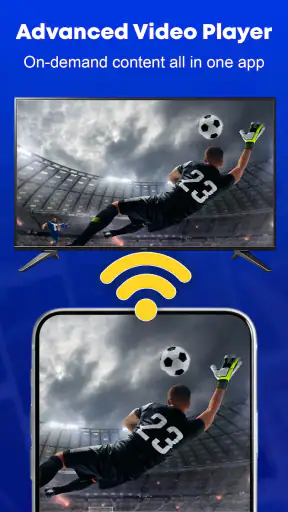
The casting angle is another meaningful advantage. Many people do not want to watch long programmes on a phone, even when the phone is where the playlist is easiest to access. Moving playback to a television changes the experience without requiring a separate media library. In my view, this is the feature that gives the app its clearest everyday value.
There is a subtle benefit to separating the playlist source from the screen. A television is better for shared viewing, while a phone is better for entering information and browsing. Using each device for the task it handles best can make the whole routine feel less awkward. I would not treat casting as a luxury here; for the intended audience, it is part of the reason to choose this kind of player.
The free price also makes it easier to test the workflow with your own equipment. Rather than committing immediately to a paid media platform, you can see whether the app fits the way your household watches. That matters because IPTV experiences vary greatly depending on the playlist source, the network, and the receiving television. A free trial path is more sensible than assuming a particular player will solve every problem.
The app has an average rating of 4.2 from around three and a half thousand ratings, and it has passed the million-install mark. I read those figures as signs that the basic concept is reaching a substantial audience, not as proof that every setup will behave identically. IPTV playback depends on more than the player itself, so popularity should support your decision rather than replace testing.
What may still feel limited
The same focus that makes the app approachable can be a weakness for advanced users. If you want a complete home-theatre hub that combines local files, network storage, detailed library management, and extensive personalisation, a broader media-centre application may fit better. Smart TV Player: IPTV Smarters is easier to understand when you treat it as a dedicated IPTV viewing tool rather than a replacement for every media app on your device.
I would also be cautious about blaming the player for every interruption. A channel can buffer or fail because of the playlist source, the network, the broadcaster, or the casting path. Before switching apps, I would test another channel from the same playlist, compare playback on the phone with playback on the television, and check whether the problem follows the content or the device. That simple process can prevent an unnecessary change.
Casting introduces its own trade-off. It is convenient, but it adds another link between the source device and the television. If your priority is the fewest possible points of failure, a native television app or a dedicated streaming box may be more dependable for your particular setup. On the other hand, if you already have a compatible casting routine, this app’s approach may be more convenient than buying or configuring extra hardware.
There is also a difference between a player and a provider. New users sometimes expect an IPTV app to include channels automatically. That is not how I would approach this product. You need a legitimate playlist or content source of your own. If you are looking for an app that offers shows and channels as part of a ready-made subscription, choose a licensed streaming service instead. This player is for bringing an existing source into a more comfortable viewing environment.
How it compares with the usual alternatives
The most direct alternative is a general IPTV player with more menus and customisation. That type of app may be better if you manage several playlists, want extensive sorting, or enjoy adjusting every part of the interface. The trade-off is that a larger feature set can make setup and daily navigation feel heavier. I would choose that route only if I already knew which advanced controls I needed.
A second alternative is a general media player. These are often excellent for local video files and may handle many formats, but they are not always designed around the IPTV routine of playlist browsing and television casting. If your main activity is watching downloaded films, a general media player may be the better tool. If your main activity is moving IPTV content from a playlist to a larger screen, this app is more directly aligned with the task.
A third alternative is a native smart-TV application or a dedicated streaming device. That arrangement can be more comfortable for family members who do not want to use a phone as a controller. It may also reduce the number of steps between turning on the television and starting playback. The downside is that it can require more setup, another device, or a different way of maintaining playlists. Smart TV Player: IPTV Smarters is more attractive when you value flexibility and already use a mobile device as part of your viewing routine.
Finally, licensed streaming platforms are the right choice for people who want a polished catalogue, recommendations, account management, and content discovery in one place. They are not direct substitutes in terms of purpose. This app is useful precisely because it works with an IPTV playlist rather than asking you to abandon that source and move into a closed catalogue.
Small workflow changes that make a real difference
One of my most useful recommendations is to separate testing from ordinary viewing. When you first add or use a playlist, check a few channels across different types of content instead of judging the app from one stream. A live news channel, a long programme, and a channel you rarely use can reveal different problems. This helps you identify whether an issue is tied to one source or to the overall setup.
For casting, I would prepare the receiving television before starting a programme you do not want to miss. Confirm that the phone and television are ready, then begin with a short test. This is a small habit, but it avoids the common frustration of discovering a connection problem after you have settled in. It also makes the app feel more dependable because you are not asking it to solve several setup tasks at once.
Another tip is to treat the phone as a remote and preparation tool rather than the final viewing screen whenever possible. The larger display is better for shared viewing, while the phone is better for selecting content. That division keeps the mobile device available for control without forcing everyone to watch around a small screen.
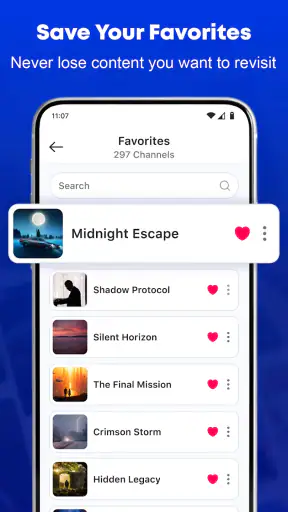
If several people use the same playlist, agree on simple naming and organisation rules. A clear channel order is more valuable than a complicated interface when someone else is trying to find a programme quickly. This is especially relevant in a family setting, where not every viewer will be interested in learning IPTV terminology or troubleshooting steps.
Before changing players, isolate the cost of switching. Export or preserve the playlist details you are legally entitled to use, note which channels matter most, and test the same source in the alternative. Otherwise, you may mistake a source problem for an app problem and spend time rebuilding a setup that was not actually broken. The free nature of this app makes comparison easier, but a fair comparison still requires the same playlist and similar viewing conditions.
Who should choose it, and who should skip it
I think this app is a good choice for a viewer who already has a legitimate IPTV playlist, uses Android 10 or newer, and wants an uncomplicated path to television playback. It is particularly suitable when casting is part of the plan and when the household prefers using a phone or tablet to browse before watching on a larger screen.
I would skip it if you want content included automatically, because a player is not the same as a streaming subscription. I would also look elsewhere if your main requirement is a richly managed local media library, advanced recording, or a highly customised home-theatre interface. In those cases, the broader alternative may justify its extra complexity.
People with older Android devices should check compatibility before making the app part of their routine. Likewise, viewers who dislike controlling television playback from a mobile device may be happier with a native TV solution. Neither point makes this app poor; they simply show why the best IPTV player depends on the equipment and habits you already have.
My recommendation after weighing the trade-offs
Smart TV Player: IPTV Smarters is worth trying when your goal is specific: take an existing IPTV playlist and make watching it on a television easier. I like that the app does not need to pretend to be a complete entertainment ecosystem. Its value comes from the combination of playlist-focused playback, a free entry point, and casting that supports a more comfortable shared-screen routine.
The current release is version 1.1, and ModSik presents it as a straightforward tool rather than an all-purpose media suite. I would approach it with realistic expectations, test it using the channels and devices I actually plan to use, and keep a broader alternative in mind if I need deeper organisation or a more self-contained television experience.
My final advice is simple: try it if you already have the right content source and your viewing problem is getting that source onto the big screen. Do not choose it expecting a catalogue, a provider, or a universal fix for unstable streams. For the right user, it can remove an annoying layer of friction. For everyone else, a licensed streaming service, native TV app, or full media centre may be the more natural answer.


